Transition from VDSL to fiber cabling

Introduction

When my ISP (Scarlet) told me I needed to switch to fiber, they didn’t have a suitable offering for my needs. In preparation, I pulled fiber and Cat6A from the ground-floor entry point to the first floor. Having that available, along with the existing phone line on the first floor, gave me all the flexibility I needed to choose an ISP that best suits my needs as I transition from VDSL to fiber.

Flexibility and creative transition from VDSL to fiber cabling

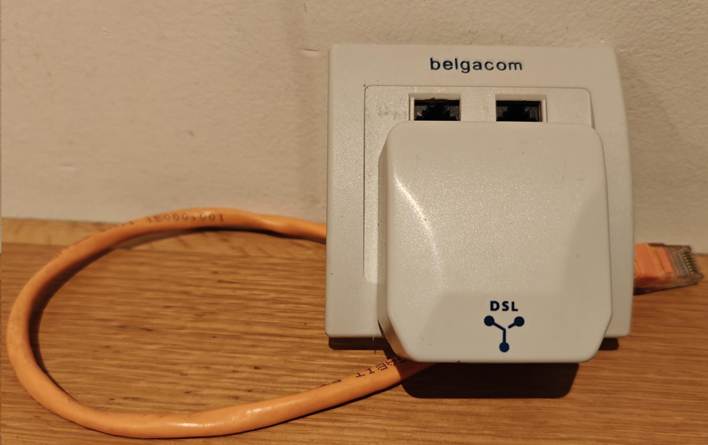
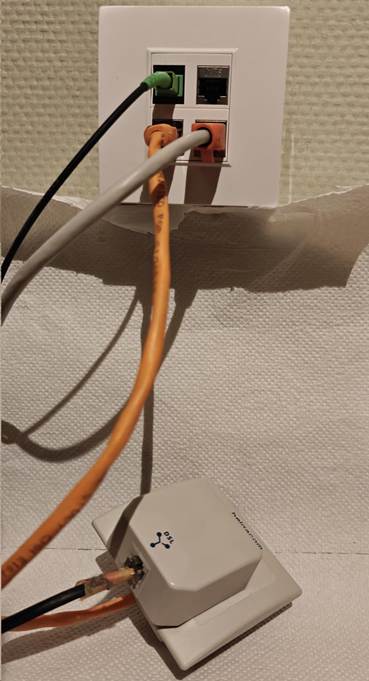
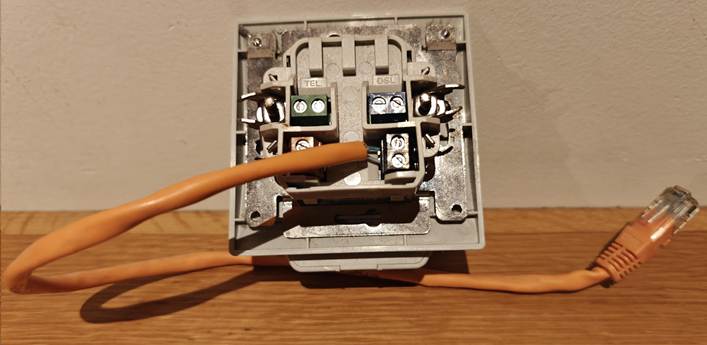
When I pulled the fiber cable (armored SC/APC, which has a better chance of surviving the stress of being pulled through the wall conduit) and the CAT6A S/FTP, I still had to keep the telco line I needed for the VDSL connection to my home office. As I wanted a decent finish on the wall, I had the fiber, CAT6A, and phone cable terminated into RJ45 connectors. As I still needed the splitter, which is an old-style 6-PIN, I improvised a go-between until I moved to a provider that offered “reasonably” priced fiber. The picture below was my temporary workaround. I connected the old Belgacom TF2007 to a UTP cable that terminates in an RJ45 connector. That way, I could plug it into the RJ45 socket at the back, which I connected to the existing phone line in the conduit. It also still has the splitter that connects the phone line to the VDSL modem for internet access.

Back view

Front view

Now. I no longer need the phone lines. Fiber comes from the ONTP on the ground floor to the first floor via the wall conduit. There, it connects to another fiber cable that runs into my home office. Here I can use the ONT or plug it into an XGS-PON/GPON SFP+ on my router/firewall. The CAT6A runs back down to provide wired Ethernet connectivity for devices I need there, including DECT telephony. At any time, I can have the fiber run to a router on the ground floor and use CAT6A to provide Ethernet on the first floor.

I can now disconnect this temporary solution.

What did I use

Well, to protect the cable during pulling through the conduit and later the run from the path box to my home office, where the OTN model lives, I used armored cabling. 10 meters to pull through the conduit and 15 meters to the home office.

Do an internet search for “Armoured Fibre Optic Cable Simplex Singlemode Armoured Fibre Optic Cable, 9/125µm OS2”.

This cable can also be used outdoors if needed, enabling fiber to run to a home office in the backyard or a similar setup. You can easily find these on Amazon.

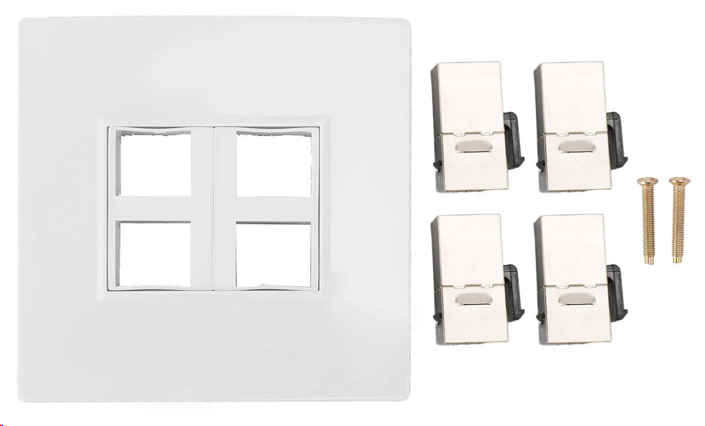
Next to the Ethernet faceplate with 4 ports, combined with 4 keystones. I chose 3 Cat6A keystone jacks, of which one is used for the phone cable in the wall I attached to an RJ45. I installed it in a wall-mounted junction box, drilling a hole through the back plate for the wires to pass through.

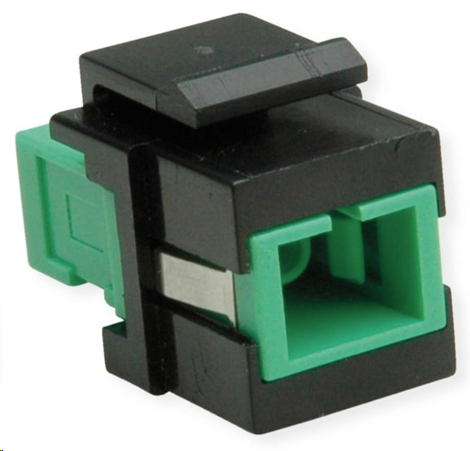
For the fiber cable, I used a Keystone SC/SC Simplex Fibre Optic Adapter Single Mode OS2 APC. Again, this can easily be found on Amazon or your shop of choice.

Conclusion

I had a hard time pulling the fiber through an angle in the conduit because the connector was attached, but the armor protected the fiber. The speed test is good.

So, be a bit creative during transitions, and you can deliver a flexible, solid solution, even in older houses.

In Defense of Switch Independent Teaming With Hyper-V

For many old timers (heck, that includes me) NIC teaming with LACP mode was the best of the best, at least when it comes to teaming options. Other modes often led to passive/active, less than optimal receiving network traffic aggregation. Basically, and perhaps over simplified, I could say the other options were only used if you had no other choice to get things to work. Which we did a lot … I used Intel’s different teaming modes for various reasons in the past (before we had MLAG, VLT, VPC, …). Trying to use LACP where possible was a good approach in the past in physical deployments and early virtualized environments when 1Gbps networking dominated the datacenter realm and Windows did not have native support for LBFO.

But even LACP, even in those days, had some drawbacks. It’s the most demanding form of teaming. For one it required switch stacking. This demands the same brand and type of switches and that means you have no redundancy during firmware upgrades. That’s bad, as the only way to work around that is to move all workload to another rack unit … if you even had the capability to do that! So even in days past we chose different models if teaming out of need or because of the above limitations for high availability. But the superiority of NIC teaming with LACP still stands for many and as modern switches support MLAG, VLT, etc. the drawback of stacking can be avoided. So does that mean LACP for NIC teaming is always the superior choice today?

Some argue it is and now they have found support in the documentation about Microsoft CPS system documentation about Microsoft CPS system. Look, even if Microsoft chose to use LACP in their solutions it’s based on their particular design and the needs of that design I do not concur that this is the best overall. It is however a valid & probably the choice for their specific setup. While I applaud the use of MLAG (when available to you a no or very low cost) to have all bases covered but it does not mean that LACP is the best choice for the majority of use cases with Hyper-V deployments. Microsoft actually agrees with me on this in their Windows Server 2012 R2 NIC Teaming (LBFO) Deployment and Management guide. They state that Switch Independent configuration / Dynamic distribution (or Hyper-V Port if on Hyper-V and if not on W2K12R2)  is the best possible default choice is for teaming in both native and Hyper-V environments. I concur, even if perhaps not that strong for native workloads (it depends). Exceptions to this:

  • Teaming is being performed in a VM (which should be rare),
  • Switch dependent teaming (e.g., LACP) is required by policy, or
  • Operation of a two-member Active/Standby team is required by policy.

In other words in 2 out of 3 cases the reason is a policy, not a technical superior solution …

Note that there are differences between Address Hash, Hyper-V Port mode & the new dynamic distribution modes and the latter has made things better in W2K12R2 in regards to bandwidth but you’ll need the read the white papers. Use dynamic as default, it is the best. Also note that LACP/Switch Dependent doesn’t mean you can send & receive to and from a VM over the aggregated bandwidth of all team members. Life is more complicated than that. So if that’s you’re main reason for switch dependent, and think you’re done => be ware Winking smile.

Switch Independent is also way better for optimization of VMQ. You have more queues available (sum-of-queues) and the IO path is very predictable & optimized.

If you don’t control the switches there’s a lot more cross team communication involved to set up teaming for your hosts. There’s more complexity in these configurations so more possibilities for errors or bugs. Operational ease is also a factor.

The biggest draw back could be that for receiving traffic you cannot get more than the bandwidth a single team member can deliver. That’s true but optimizing receiving traffic has it’s own demands and might not always be that great if the switch configuration isn’t that smart & capable. Do I ever miss the potential ability to aggregate incoming traffic. In real life I do not (yet) but in some configurations it could do a great job to optimize that when needed.

When using 10Gbps or higher you’ll rarely be in a situation where receiving traffic is higher than 10Gbps or higher and if you want to get that amount of traffic you really need to leverage DVMQ. And a as said switch independent teaming with port of dynamic mode gives you the most bang for the buck. as you have more queues available. This drawback is mitigated a bit by the fact that modern NICs have way larger number of queues available than they used to have. But if you have more than one VM that is eating close to 10Gbps in a non lab environment and you planning to have more than 2 of those on a host you need to start thinking about 40Gbps instead of aggregating a fistful of 10Gbps cables. Remember the golden rules a single bigger pipe is always better than a bunch of small pipes.

When using 1Gbps you’ll be at that point sooner and as 1Gbps isn’t a great fit for (Dynamic) VMQ anyway I’d say, sure give LACP a spin to try and get a bit more bandwidth but will it really matter? In native workloads it might but with a vSwith?  Modern CPUs eat 1Gbps NICs for breakfast, so I would not bother with VMQ. But when you’re tied to 1Gbps it’s probably due to budget constraints and you might not even have stackable, MLAG, VLT or other capable switches. But the arguments can be made, it depends (see Don’t tell me “It depends”! But it does!). But in any case I start saving for 10Gbps Smile

Today as the PC8100 series and the N4000 Series (budget 10Gbps switches, yes I know “budget” is relative but in the 10Gbps world, but they offer outstanding value for money), I tend to set up MLAG with two of these per rack. This means we have all options and needs covered at no extra cost and without sacrificing redundancy under any condition. However look at the needs of your VMs and the capability of your NICs before using LACP for teaming by default. The fact that switch independent works with any combination of budget switches to get redundancy doesn’t mean it’s only to be used in such scenarios. That’s a perk for those without more advanced gear, not a consolation price.

My best advise: do not over engineer it. Engineer it for the best possible solution for the environment at hand. When choosing a default it’s not about the best possible redundancy and bandwidth under certain conditions. It’s about the best possible redundancy and bandwidth under most conditions. It’s there that switch independent comes into it’s own, today more than ever!

There is one other very good, but luckily also a very rare case where LACP/Switch dependent will save you and switch independent won’t: dead switch ports, where the port becomes dysfunctional. So while switch independent protects against NIC, Switch, cable failures, here it doesn’t help you as it doesn’t know (it’s about link failures, not logical issues on a port).

For the majority of my Hyper-V deployments I do not use switch dependent / LACP. The situation where I did had to do with Windows NLB in combination with ICMP Multicast.

Note: You can do VLT, MLAG, stacking and still leverage switch independent teaming, LACP or static switch dependent is NOT mandatory even when possible.

Configuring timestamps in logs on DELL Force10 switches

When you get your Force10 switches up and running and are about to configure them you might notice that, when looking at the logs, the default timestamp is the time passed since the switch booted. During configuration looking at the logs can very handy in seeing what’s going on as a result of your changes. When you’re purposely testing it’s not too hard to see what events you need to look at. When you’re working on stuff or trouble shooting after the fact things get tedious to match up. So one thing I like to do is set the time stamp to reflect the date and time.

This is done by setting timestamps for the logs to datetime in configuration mode. By default it uses uptime. This logs the events in time passed since the switch started in weeks, days and hours.

service timestamps [log | debug] [datetime [localtime] [msec] [show-timezone] | uptime]

I use: service timestamps log datetime localtime msec show-timezone

F10>en
Password:
F10#conf
F10(conf)#service timestamps log datetime localtime msec show-timezone
F10(conf)#exit

Don’t worry if you see $ sign appear left or right of your line like this:

F10(conf)##$ timestamps log datetime localtime msec show-timezone

it’s just that the line is to long and your prompt is scrolling Winking smile.

This gives me the detailed information I want to see. Opting to display the time zone and helps me correlate the events to other events and times on different equipment that might not have the time zone set (you don’t always control this and perhaps it can’t be configured on some devices).

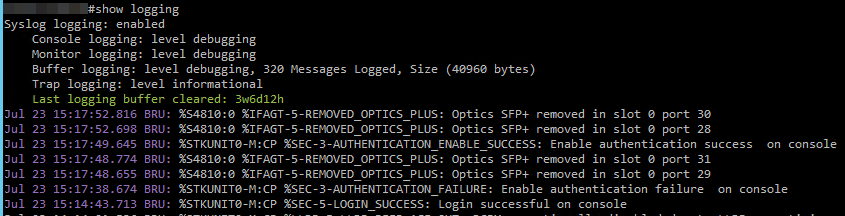
image

As you can see the logging is now very detailed (purple). The logs on this switch were last cleared before I added these timestamps instead op the uptime to the logs. This is evident form the entry for last logging  buffer cleared: 3w6d12h (green).

Voila, that’s how we get to see the times in your logs which is a bit handier if you need to correlate them to other events.

DELL Enterprise Forum EMEA 2014 in Frankfurt

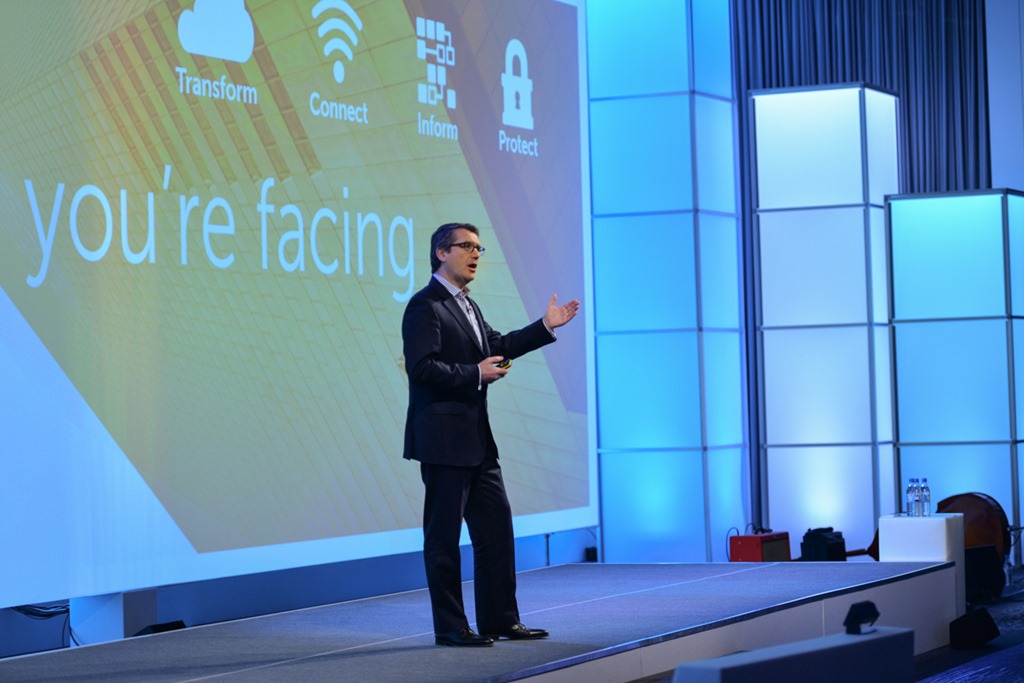
As you might have noticed on Twitter I was in Frankfurt last week to attend DELL Enterprise Forum EMEA 2014. It was a great conference and very worthwhile going to. It was a week of multi way communication between vendor, marketing, engineering, partners and customers. I learned a lot. And I gave a lot of feedback. As a Dell TechCenter Rockstar and a Microsoft MVP in Hyper-V I can build bridges to make sure both worlds understand each other better and we, the customers get their needs served better.

Dell Enterprise Forum EMEA 2014 - Frankfurt

I’m happy I managed to go and I have some people to thank for me being able to grab this opportunity:

  • I cleared the time with my employer. This is great, this is a win win situation and I invested weekend time & extra hours for both my employer and myself.
  • I got an invite for the customer storage council where we learned a lot and got ample of opportunity to give honest and constructive feedback directly to the people that need to hear it! Awesome.
  • The DELL TechCenter Rockstar program invited me very generously to come over at zero cost for the Enterprise Forum. Which is great and helped my employer  and myself out. So, thank you so much for helping me attend. Does this color my judgment? 100%  pure objectivity does not exist but the ones who know me also know I communicate openly and directly. Look, I’ve never written positive reviews for money or kickbacks. I do not have sponsoring on my blog, even if that could help pay for conferences, travel expenses or lab equipment. Some say I should but for now I don’t. I speak my mind and I have been a long term DELL customer for some very good reasons. They deliver the best value for money with great support in a better way and model than others out there. I was sharing this info way before I became a Rockstar and they know that I tell the good, the bad and the ugly. They can handle it and know how to leverage feedback better than many out there.
  • Stijn Depril ( @sdepril, http://www.stijnsthoughts.be/), Technical Datacenter Sales at RealDolmen gave me a ride to Frankfurt and back home. Very nice of him and a big thank you for doing so.  He didn’t have to and I’m not a customer of them. Thank buddy, I appreciate it and it was interesting ton learn the partners view on things during the drive there and back. Techies will always be checking out gear …

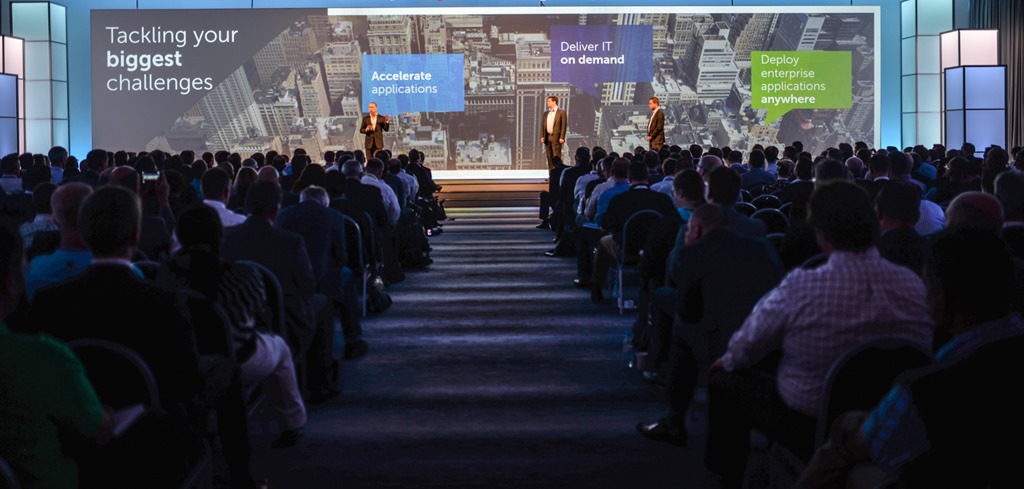
Dell Enterprise Forum EMEA 2014 - Frankfurt

What did all this result in? Loads of discussion, learning and sharing about storage, networking, compute, cloud, futures and community in IT. It was an 18 hour per day technology fest in a very nice and well arranged fashion.

I was able to meet up with community members, twitter buddies, DELL Employees and peers from all over EMEA and share experiences, learn together, talk shop, provide feedback and left with a better understanding of the complexities and realities they deal with on their side.

Dell Enterprise Forum EMEA 2014 - Frankfurt

It has been time very well spent. I applaud DELL to make their engineers and product managers available for this event. I thank them for allowing us this amount of access to their brains from breakfast till the moment we say goodnight after a night cap. Well done, thank you for listening and I hope to continue the discussion. It’s great to be a DELL TechCenter Rockstar and work in this industry during this interesting times. To all the people I met again or for the first time, it was a great week of many interesting conversations!

For some more pictures and movies visit the Dell Enterprise Forum EMEA 2014 from Germany photo album on Flickr